Gooti
New Gooti Desktop for Linux and Windows

Keep your Nostr keys off the web.
Sign everywhere anyway.

Gooti is your Nostr signer for Chrome, Firefox and the desktop. Keep keys on Gooti Desktop, give every site its own identity, and carry everything in one encrypted backup.

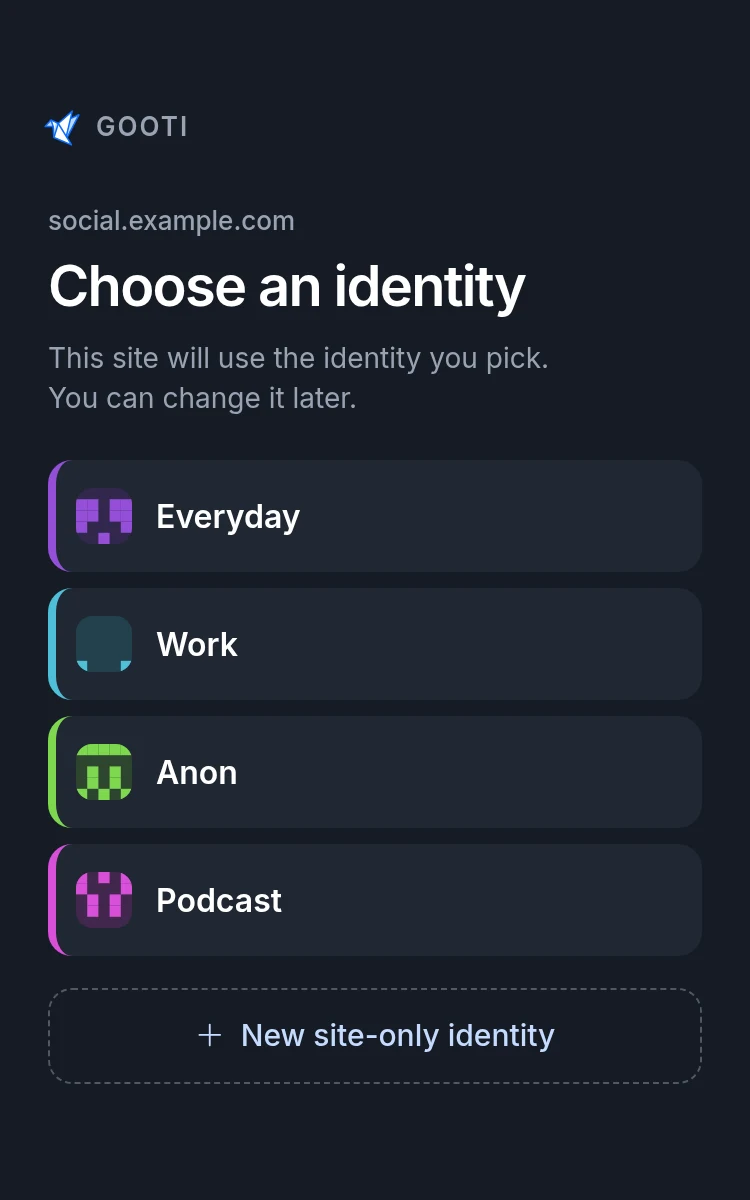
Browser extension The Gooti window that asks which identity a website should use, listing four identities
Gooti Desktop
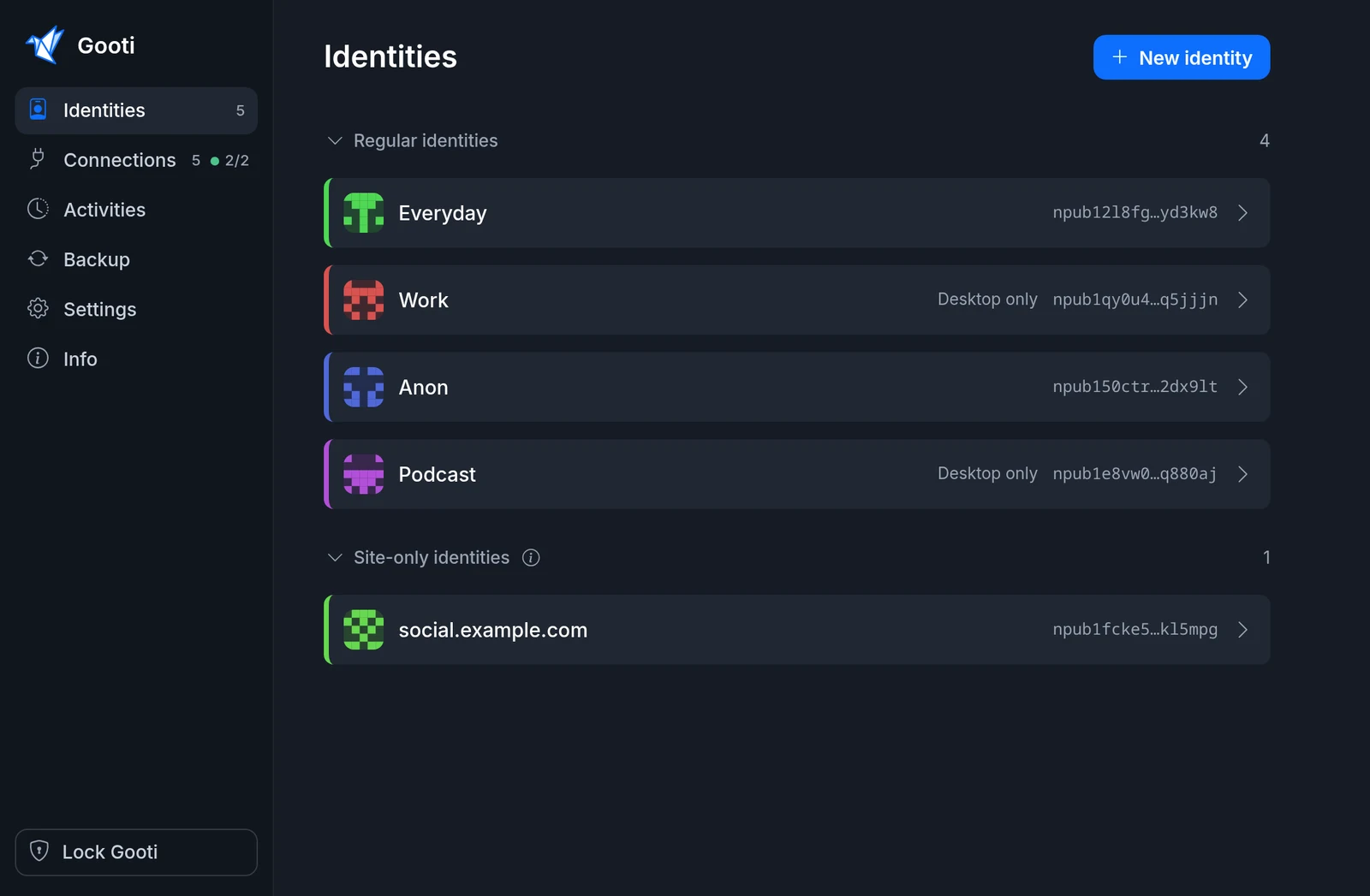
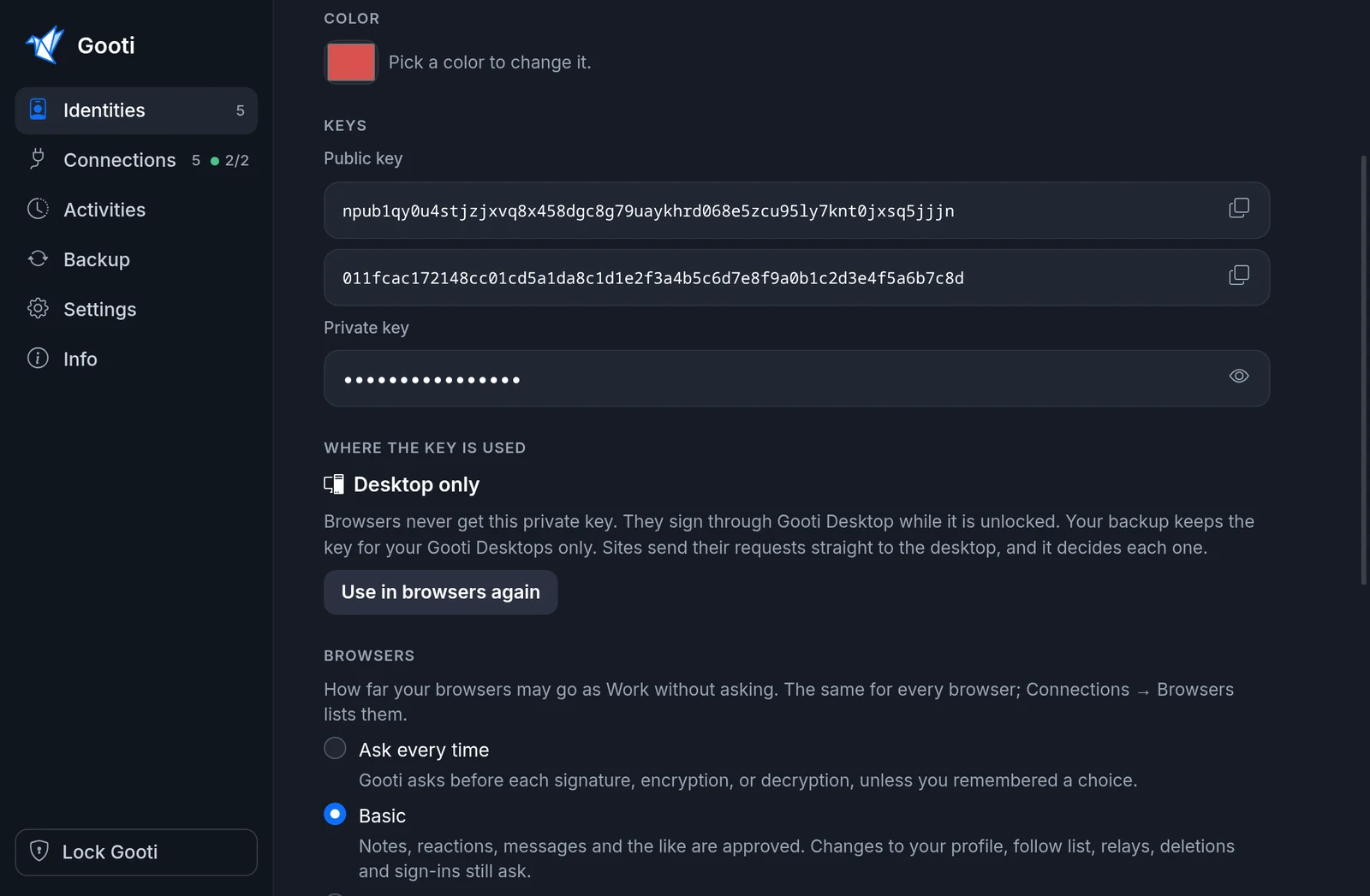
Gooti Desktop with four identities, two of them marked Desktop only
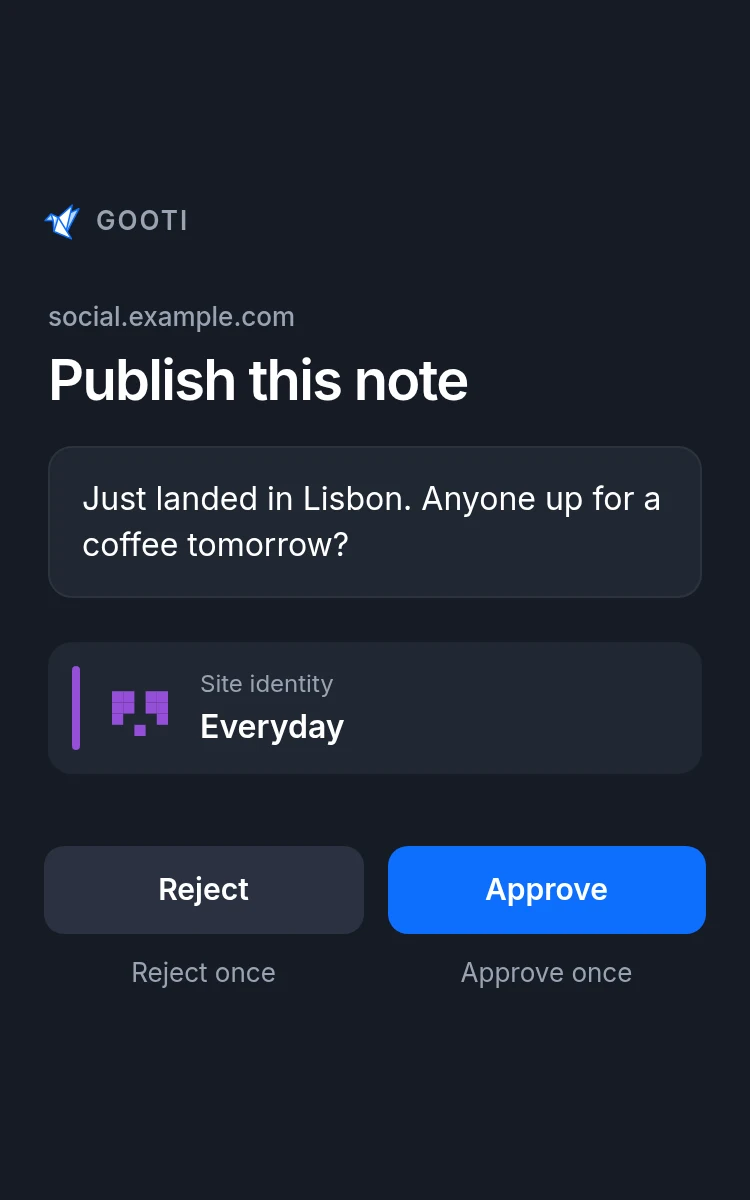
Browser extension A Gooti permission window asking to publish a note, with the text of the note and the identity that will sign it

Only with Gooti and Gooti Desktop

A bunker without the hassle

Your key stays on your computer. Every Nostr site in every browser can still use it, through the Gooti extension. No bunker link to paste, no QR code to scan, and you always see which site asks.

  • 1

    No QR code, no bunker link

    Click Move key to desktop, and your browsers with Gooti sign through the desktop. Your backup tells them where to go. Each browser asks once, and you press Allow.

  • 2

    Works on every NIP-07 site

    Sites talk to Gooti as always, through window.nostr. Gooti passes the request on. The site needs no bunker support of its own.

  • 3

    You see who asks

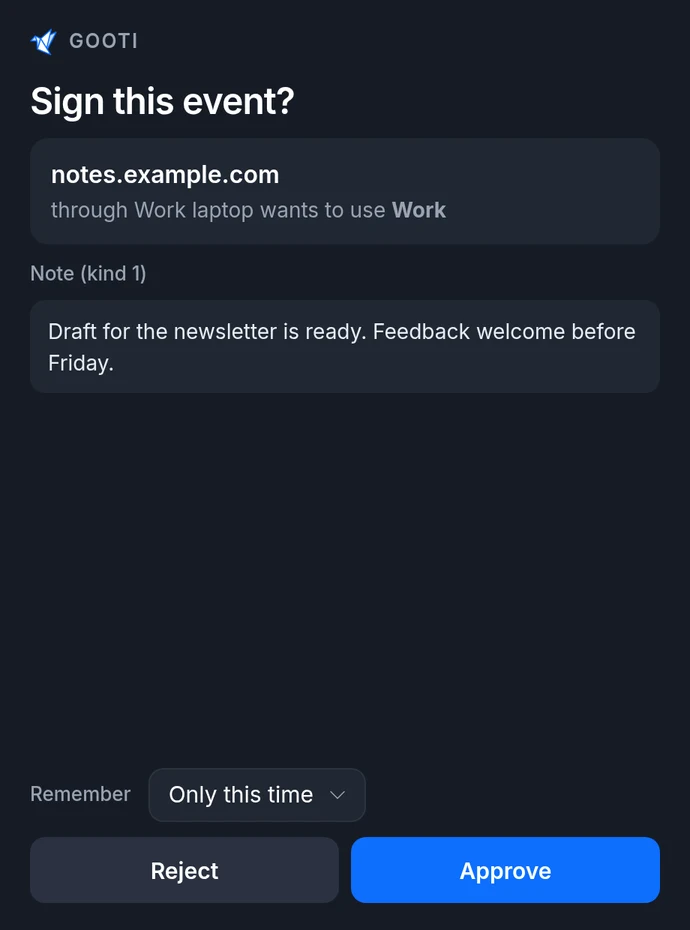
    The desktop names the browser and the site: “notes.example.com through Work laptop wants to use Work”. A plain bunker only sees “the extension”.

  • 4

    Switch whenever you like

    Use in browsers again brings the key back. Both ways go through your backup, on every device at once.

The usual bunker setup

  1. Install a signer app
  2. Find a relay that carries bunker messages
  3. Copy a bunker:// link, or scan a QR code
  4. Paste it on every site, in every browser
  5. Hope the site supports NIP-46

With Gooti and Gooti Desktop

  1. Mark the identity Desktop only
  2. Press Allow once for each browser

Every site, in every browser. The relay is already there.

Built in

Works right away: relay.getgooti.com

A backup and a bunker both need a relay that stays up and takes their events. Gooti brings its own, set as the default, so you don't have to go looking for one that fits.

  • Made for two jobs only: encrypted backups and bunker messages. Nothing else gets in, so nothing else slows it down.
  • Never readable: your backup is encrypted on your device; bunker messages are encrypted between your browser and your desktop.
  • Short-lived messages: bunker messages are deleted after five minutes.
  • No sign-up: no account, no login. A rate limit per address keeps it fair.
  • Your choice: prefer your own relays? Add them in the settings at any time.

Runs in Germany. Details in the privacy policy.

What makes Gooti different

Per-site identity

A different identity for every site

Gooti remembers which identity answers each website. Use your everyday identity on one app and a pseudonym on another, without switching by hand every time you visit.

  • Open Gooti on any site to see which identity it uses.
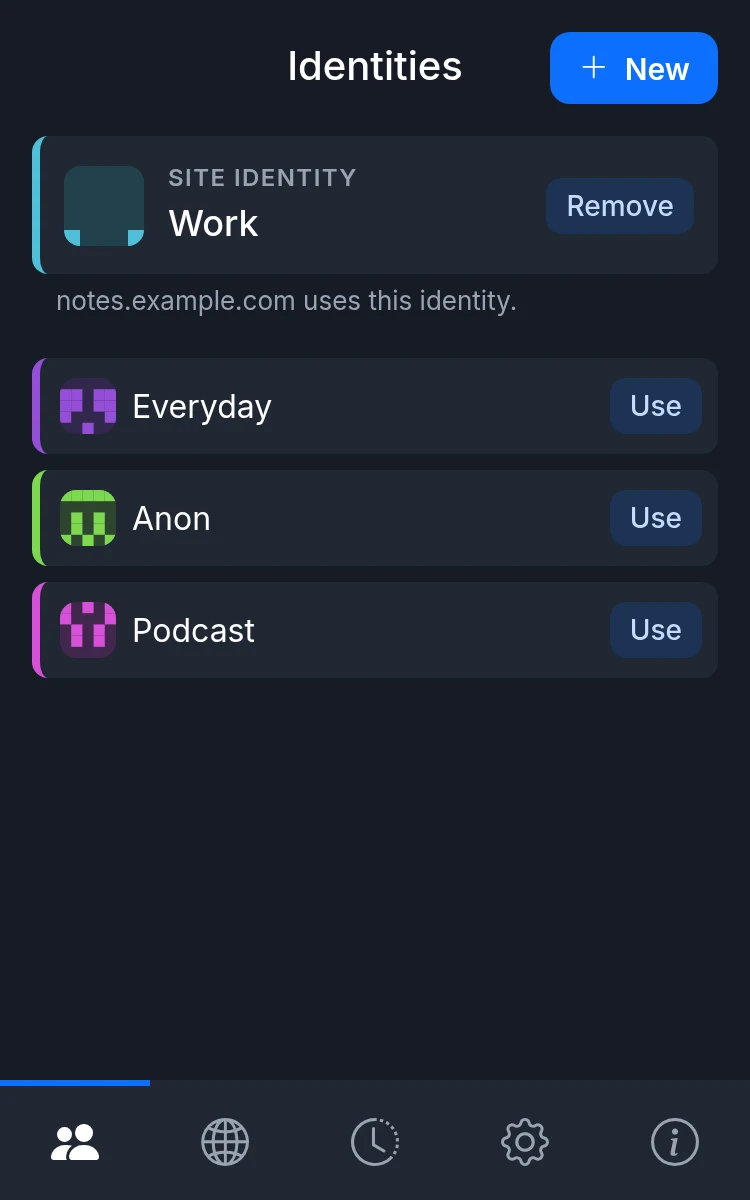
  • Tap Use to give that site another identity, or Remove to ask again.
  • The Sites tab lists every site with its identity.
  • Site choices are part of your backup, so every browser knows them.
  • Just trying a site? New site-only identity makes a fresh identity for that site alone. Delete it when you are done, or keep it.
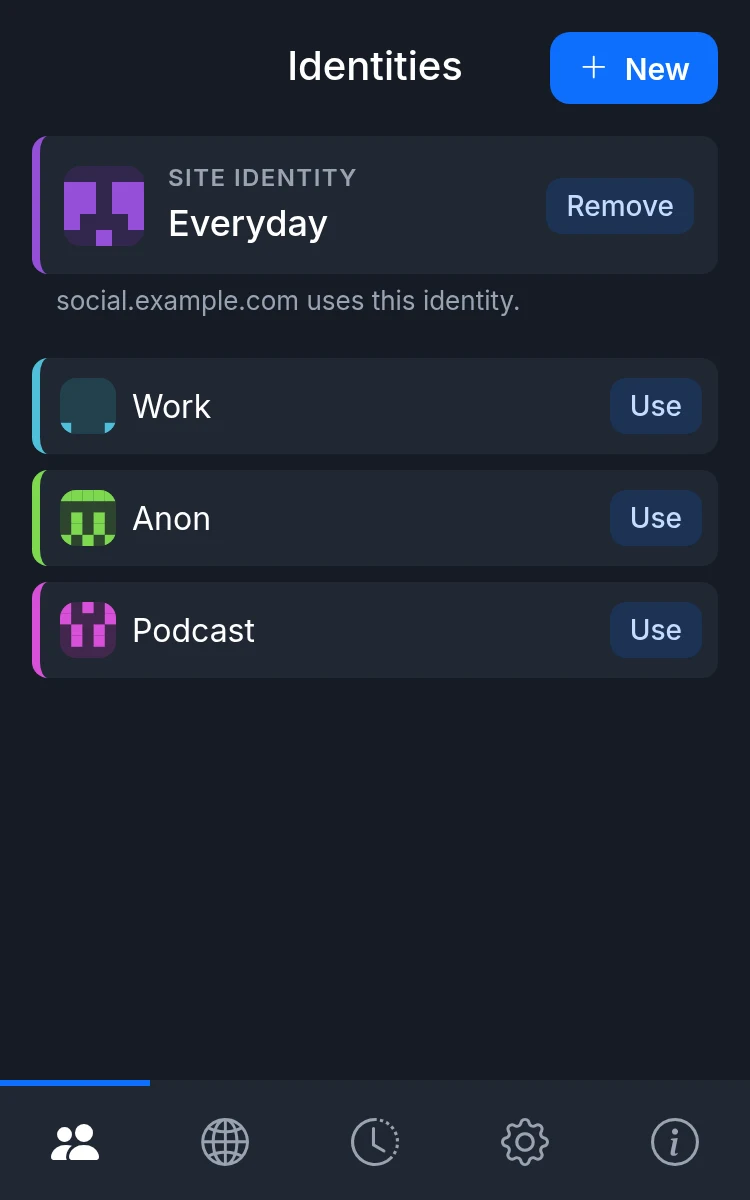
Browser extension Gooti on social.example.com, which uses the identity Everyday
social.example.com
uses Everyday
Browser extension Gooti on notes.example.com, which uses the identity Work
notes.example.com
uses Work

Backup

One backup for every browser and desktop

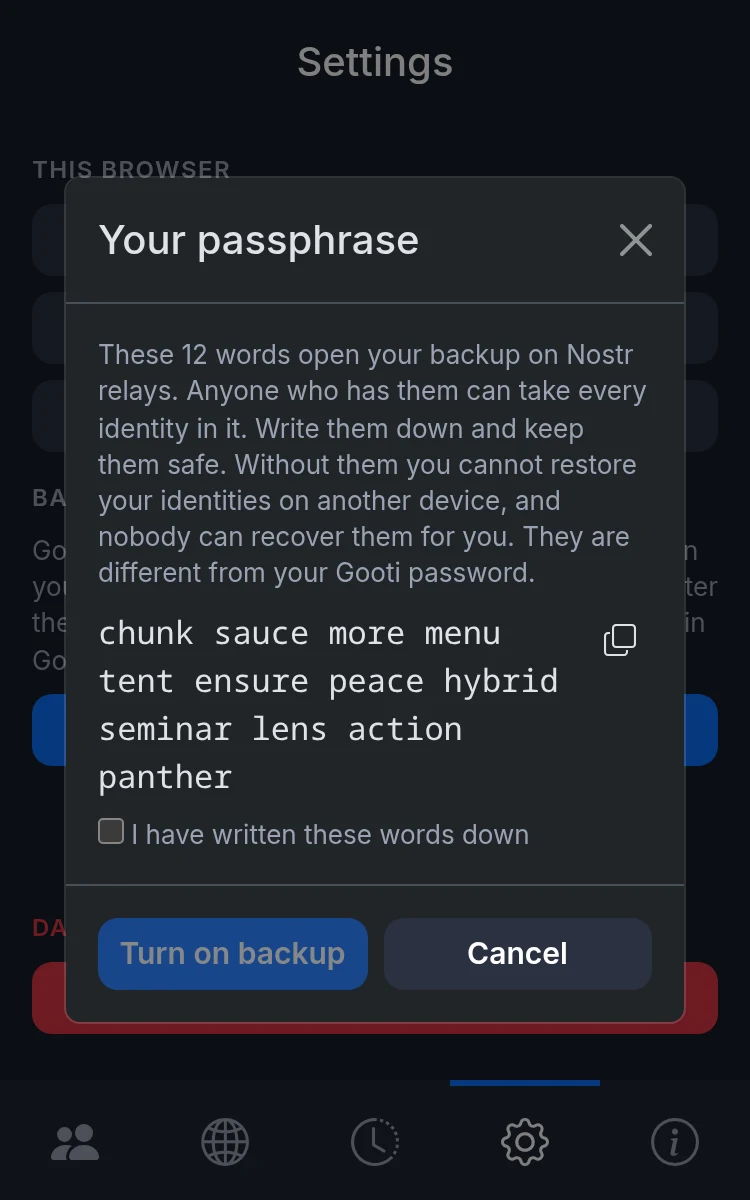
No Chrome or Firefox account needed. Gooti encrypts your identities on your device and stores them on relays you choose. Write down twelve words. Enter the same passphrase in Gooti on another browser or in Gooti Desktop, and they share your identities.

  • Identities, permissions and site choices are backed up together, not just a list of keys.
  • Everything is encrypted with AES-256-GCM before it reaches a relay. The key comes from your twelve words.
  • Your Gooti password stays on each device. It is never sent anywhere.
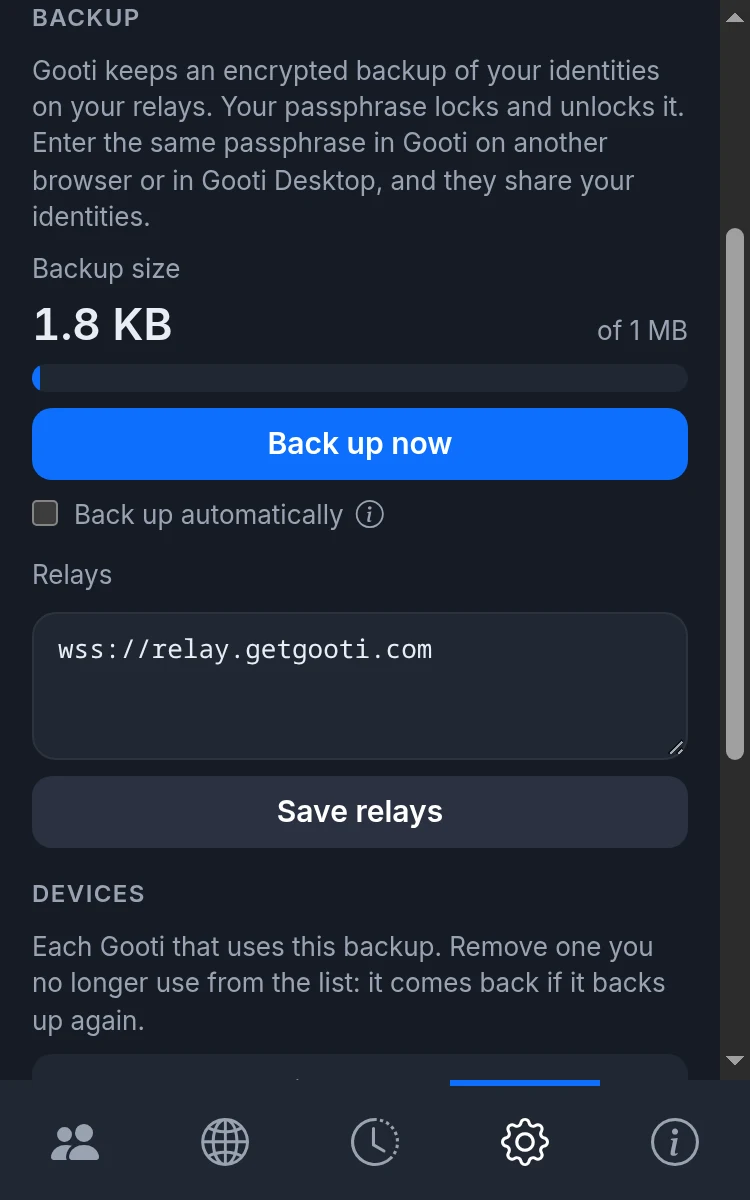
  • Press Back up now, or let Gooti back up automatically.
  • Devices lists every browser and desktop that uses your backup, and when each last backed up.
  • Prefer no relays at all? Export to a file and import it in another browser. The file stays protected by your Gooti password.
Browser extension The passphrase dialog showing twelve words to write down and a Turn on backup button
Write down twelve words
Browser extension The backup section with the backup size, a Back up now button and the relay list
Back up to your relays

Local or remote keys

Keep keys here, or on a bunker

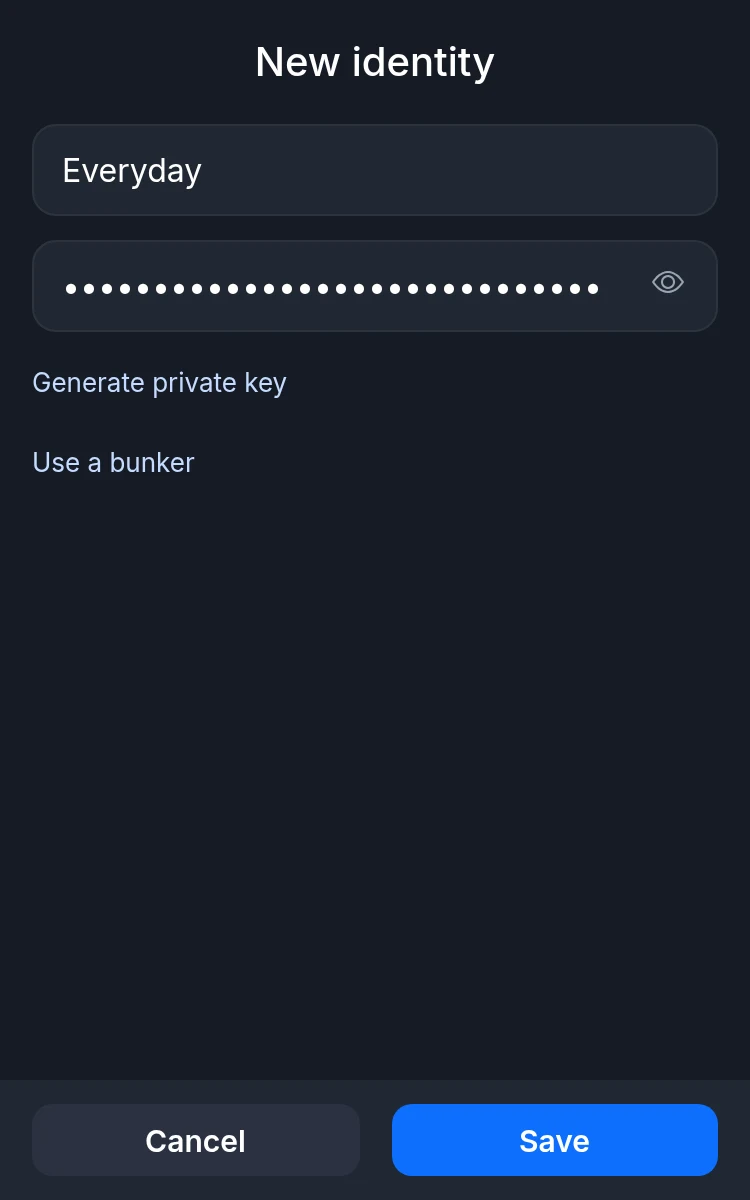
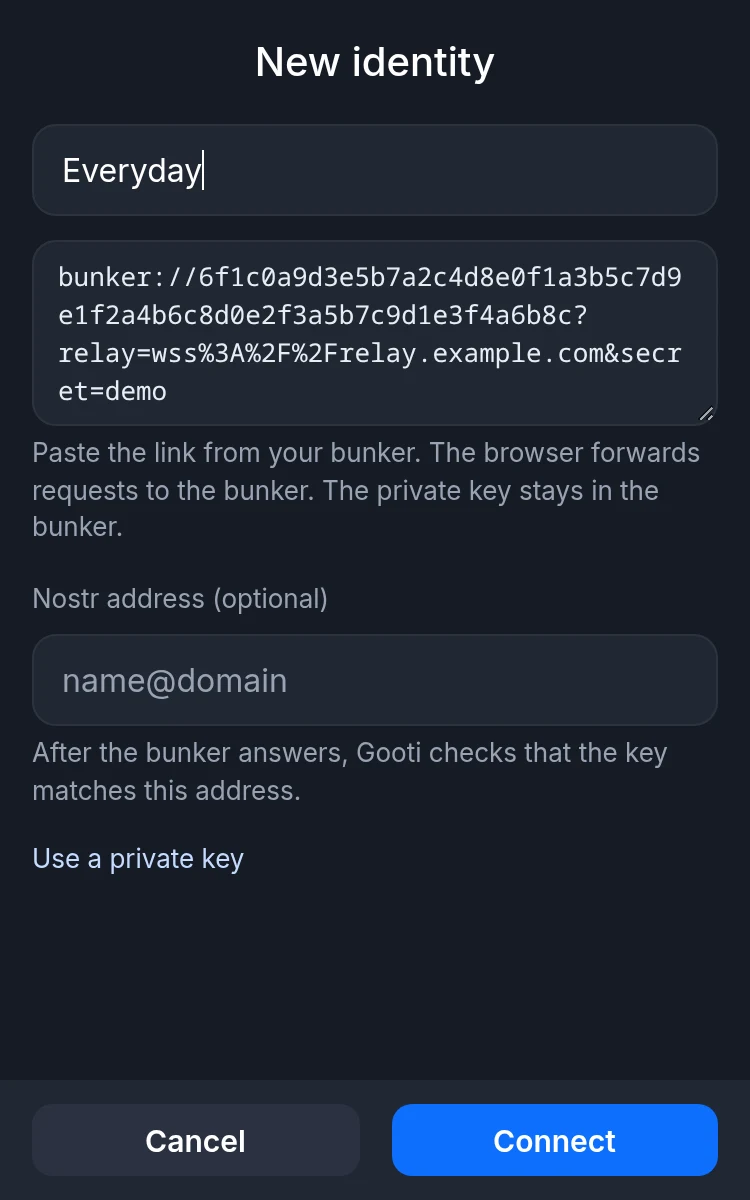
Every identity can hold its private key in Gooti, on Gooti Desktop, or with any other NIP-46 bunker, such as an app on your phone. Mix them as you like.

  • With Gooti Desktop or a bunker, the private key never reaches the browser.
  • Other bunkers: paste a bunker:// link to connect. Signing waits for the bunker to approve.
Browser extension The New identity screen with a nick name and a private key field
Local key
Browser extension The New identity screen in bunker mode with a bunker link field
Remote bunker

Gooti Desktop

The same identities, now on your computer. Gooti Desktop keeps keys out of the browser and signs for your browsers and your Nostr apps. For Linux and Windows; Mac comes later.

Desktop only keys

Keys that never reach a browser

Mark an identity Desktop only, and its private key leaves your browsers. They keep using the identity and sign through Gooti Desktop while it is unlocked. Each request names the site that asks, and you decide on the desktop.

  • No setup in the browser: the backup tells your browsers where to send requests. Each browser asks once, with a short code, and you allow it on the desktop.
  • Your backup keeps the key for your Gooti Desktops only. Browsers cannot open that part.
  • Lost a laptop? Disconnect its browser under Connections, and it can no longer sign through your desktop.
  • Changed your mind? Use in browsers again moves the key back.
Gooti Desktop
An identity in Gooti Desktop marked Desktop only, with a button to use it in browsers again
Gooti Desktop asking whether notes.example.com may sign a note as Work, through Work laptop
A site asks, the desktop decides

A bunker on your computer

Sign for your Nostr apps

Gooti Desktop is a NIP-46 bunker. Apps on your phone or computer connect with a bunker:// link or a nostrconnect:// link, and sign through the desktop. Your private keys stay there.

  • Choose per app: ask every time, approve everyday requests, or trust it fully.
  • Remember an answer for five minutes, an hour, a day, or always.
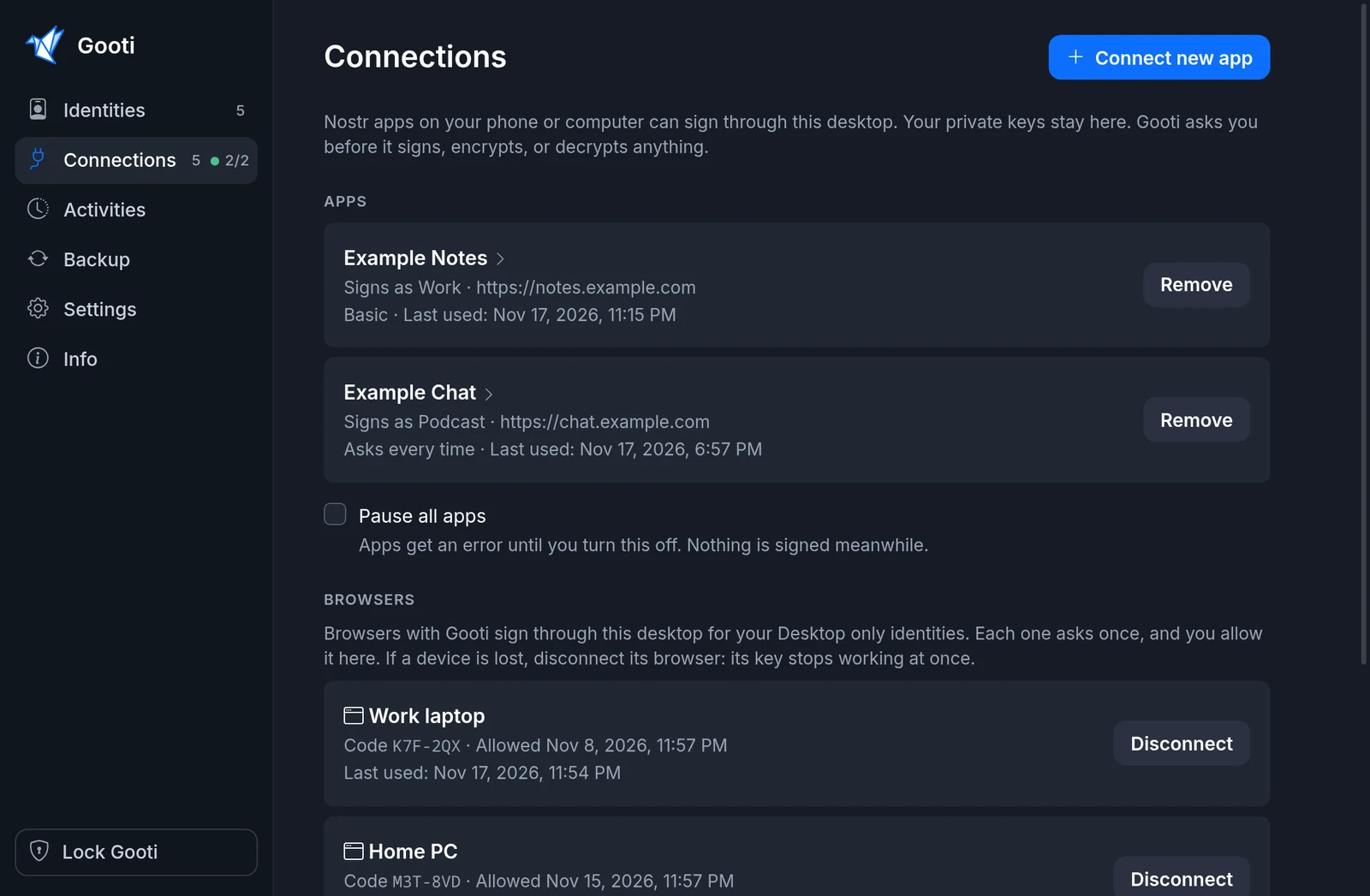
  • See every app, the identity it signs as, and when it last asked. Remove it with one click.
  • Your browsers have their own list, each with its code, when it was last used, and Disconnect.
Gooti Desktop
The Connections page of Gooti Desktop listing apps and browsers that sign through it

Also included

  • Prompts you can read

    Gooti says what a site wants to do, such as “Publish this note”, and shows the text before you approve.

  • Permissions you control

    Allow or deny per site, method and event kind. A saved deny always wins over an allow.

  • Activity log

    See what each site and app asked for and what you answered. The log stays on this device and is never backed up.

  • Encryption methods

    NIP-04 and NIP-44 encrypt and decrypt, so apps that use direct messages work.

  • Locked until you unlock

    Keys are encrypted with your Gooti password. Gooti Desktop can lock itself after a while, or with your screen.

  • Chrome, Firefox, Linux and Windows

    The same identities and the same backup in both browsers and on Gooti Desktop.

Keys stay out of web apps

A site calls window.nostr and gets back a signature. It never sees a private key.

No account, no analytics

Gooti has no sign-up and does not track you. Backups go only to relays you set, by default relay.getgooti.com.

Open source

Read the code, build it yourself, or fork it. The extension and Gooti Desktop are on GitHub.

Get Gooti

Browser extension

For every Nostr site in your browser.

Gooti Desktop

Keys on your computer, a bunker for your apps.

The AppImage and the Windows version update themselves. Windows may warn before the first start, as the installer is not code-signed yet: choose More info, then Run anyway. Mac comes later.

  1. Install Gooti

    The extension in your browser, Gooti Desktop on your computer, or both.

  2. Set up Gooti

    Choose a Gooti password and add your first identity. Or restore your identities from your backup.

  3. Log in to a Nostr site

    Use the browser-extension login. Gooti asks which identity the site should use, and remembers it.

Questions

Do I need Gooti Desktop?

No. The extension works on its own, with keys in the browser or on a bunker. Gooti Desktop adds keys that never reach a browser, and signs for Nostr apps outside the browser.

How do my browsers find Gooti Desktop?

Through your backup. When you move a key to the desktop, the backup tells every Gooti that uses the same passphrase where to send requests for that identity. There is nothing to paste or scan.

What if I lose my twelve words?

Without them you cannot restore your backup on a new browser or desktop. Devices that already have your identities keep working, and the extension can export them to a file at any time. The twelve words are separate from your Gooti password.

What if relay.getgooti.com goes away?

Your identities live on your devices, so nothing is lost. Add other relays in the settings and back up to those, or move your identities with export and import.

Can you read my backup?

No. Gooti encrypts your backup on your device with AES-256-GCM before it is sent. The key comes from your twelve words, which never leave your device. The relay only ever holds the encrypted data, so nobody there can read it.

For developers

The extension implements the NIP-07 interface, so any Nostr web app that supports a browser signer works with it, even with a key on Gooti Desktop. Gooti Desktop speaks NIP-46 to every other app.

// required
await window.nostr.getPublicKey()
await window.nostr.signEvent(event)

// optional
await window.nostr.nip04.encrypt(pubkey, plaintext)
await window.nostr.nip04.decrypt(pubkey, ciphertext)
await window.nostr.nip44.encrypt(pubkey, plaintext)
await window.nostr.nip44.decrypt(pubkey, ciphertext)